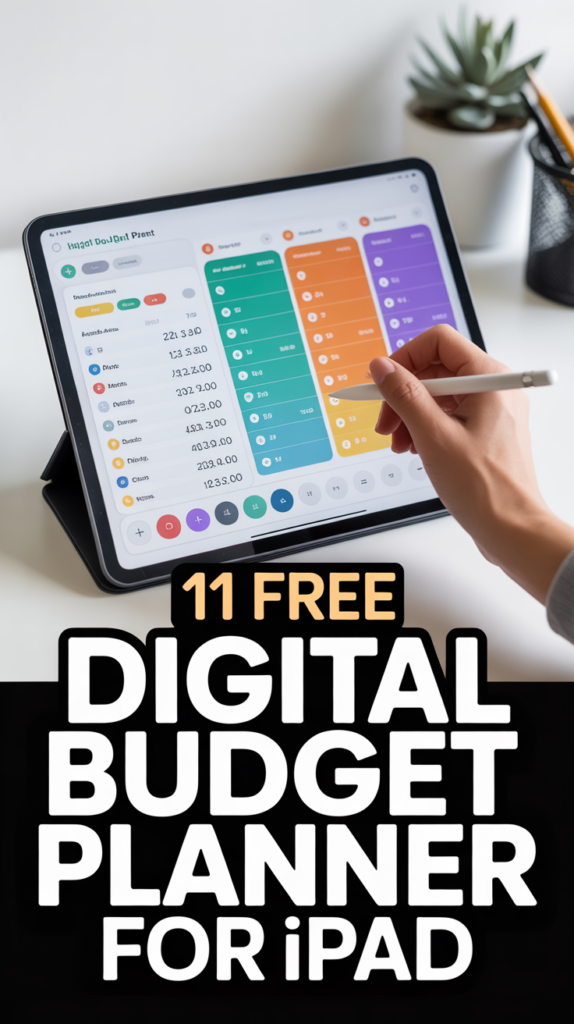
💰 11 Free Digital Budget Planner For Ipad
Alright, fellow digital hoarders and aspiring financial gurus. Tired of your bank account looking like a mystery novel you can’t solve? Good news! Your iPad isn’t just for binge-watching cat videos anymore. We’re diving deep into the glorious world of free digital budget planners. Get ready to wrangle your dollars without spending a single one on software.
1. GoodNotes & Notability Templates
Who knew your favorite note-taking apps were hiding a secret superpower? Grab a free budget template online, import it right into GoodNotes or Notability, and start scribbling your financial woes away. It’s like a paper planner, but without the risk of losing it in your couch cushions.
These templates often come with sections for income, expenses, and savings goals. You can customize them with digital stickers and highlighters, making budgeting feel less like a chore and more like a creative project. Pro tip: Search Pinterest for “free digital budget planner iPad” to unearth a treasure trove of gorgeous layouts.
This method works because it leverages tools you likely already own, turning your iPad into a personalized financial command center.
2. Apple Numbers Budget Spreadsheets
Don’t sleep on Apple’s own free spreadsheet app, Numbers. It comes pre-loaded on your iPad and offers some surprisingly robust budgeting templates. You can track everything from daily lattes to your monthly rent with impressive precision.
Numbers lets you create custom categories, use formulas to calculate totals automatically, and even visualize your spending with snazzy charts. It’s basically your personal accountant, but it doesn’t charge by the hour. Pro tip: Start with one of their built-in templates and then tweak it to fit your unique spending habits.
Numbers makes budgeting accessible and powerful, proving you don’t need fancy software to get financially savvy.
3. Google Sheets Budget Templates
If you’re already in the Google ecosystem, their free Sheets app is a no-brainer for iPad budgeting. Access a plethora of free budget templates directly from Google’s gallery or find community-made ones online. It’s like having a universal budget translator.
The beauty of Google Sheets lies in its cloud-based nature. You can update your budget from any device, and it syncs instantly. Share it with a partner to keep everyone on the same financial page. Pro tip: Explore the Google Sheets template gallery for “Annual Budget” or “Monthly Budget” to find a solid starting point.
This option is fantastic for collaborative budgeting or for those who jump between devices constantly.
4. Mint App
Ah, Mint. The OG of free budgeting apps. Connect your bank accounts, credit cards, and investments, and watch Mint magically categorize your transactions. It’s like having a financial watchdog that barks only when you overspend.
Mint helps you set budgets, track spending against those budgets, and even reminds you about upcoming bills. It gives you a clear snapshot of your net worth and where your money is actually going. Pro tip: Take the time to review and re-categorize transactions occasionally; Mint sometimes guesses wrong, bless its heart.
For an automated, hands-off approach to seeing your financial landscape, Mint really delivers.
5. Personal Capital (Empower Personal Wealth)
While Mint focuses on budgeting, Personal Capital (now Empower Personal Wealth) excels at tracking your net worth and investments. It’s free to use and provides a holistic view of your financial health, all from your iPad.
Link all your financial accounts – checking, savings, retirement, investments – and Personal Capital aggregates it all into one dashboard. You get fee analysis and investment checkups without paying a dime. Pro tip: Use their cash flow analyzer to see exactly where your money enters and exits each month.
This app is perfect for those ready to move beyond basic budgeting and start tracking their overall financial growth.
6. Free PDF Planners for Annotation
The internet is overflowing with generously free PDF budget planners just waiting for your digital pen. Download them, import them into any PDF annotation app on your iPad (like Files or even GoodNotes), and fill them out. It’s a digital scavenger hunt with a financial reward.
These range from simple expense trackers to comprehensive financial goal planners. They offer a structured way to manage your money without the pressure of complex formulas. Pro tip: Look for planners that offer both monthly and weekly breakdowns to keep you on track.
This method combines the best of traditional planning with the convenience of your iPad.
7. Simple Daily Expense Log Apps
Sometimes, less is more. Many free, straightforward apps exist whose sole purpose is to log your daily expenses quickly. No bells, no whistles, just pure expense tracking. It’s the minimalist approach to financial clarity.
These apps typically let you input an amount, select a category, and add a quick note. They help you build the habit of tracking every single dollar, which is half the battle won. Pro tip: Find an app with a widget so you can log expenses without even opening the app fully.
For those who find comprehensive apps overwhelming, a simple expense logger can be a game-changer.
8. Visual Savings Trackers
Want to save for that dream vacation or a shiny new gadget? Find free visual savings tracker templates that you can use on your iPad. Think digital coloring pages where each completed section represents a chunk of your savings goal.
These trackers turn saving into a fun, gamified experience. Seeing your progress visually can be incredibly motivating and keeps you focused on the prize. Pro tip: Print out your digital tracker and stick it somewhere prominent for an extra dose of motivation.
Visual trackers make achieving your savings goals feel less like a chore and more like an exciting quest.
9. Debt Payoff Trackers
Tackling debt can feel daunting, but a free digital debt payoff tracker on your iPad can light the way. These templates help you visualize your debt reduction progress, whether you’re using the snowball or avalanche method.
Input your debts, interest rates, and minimum payments, and watch as your progress becomes tangible. It’s incredibly satisfying to see that digital finish line get closer. Pro tip: Break down large debts into smaller, manageable chunks on your tracker to celebrate mini-victories.
These trackers provide the motivation and clarity you need to crush your debt goals.
10. Subscription & Bill Organizers
Ever get hit with a surprise subscription renewal? Not anymore! Use a free digital template or a simple spreadsheet to list all your subscriptions and recurring bills. It’s like giving your future self a financial high-five.
Track renewal dates, monthly costs, and payment methods in one place. You’ll never again pay for that streaming service you forgot you had. Pro tip: Schedule a monthly “subscription audit” to review what you’re actually using and cut the fat.
Organizing your recurring expenses is a quick win for your budget and peace of mind.
11. Digital Cash Envelope Systems
The classic cash envelope system gets a modern, digital makeover for your iPad. Create a spreadsheet or use a template to mimic the physical envelopes, allocating specific amounts to categories like groceries, entertainment, and personal care.
As you spend, deduct from your digital “envelopes.” When an envelope is empty, that category is done for the month. No more overspending because you ran out of physical cash. Pro tip: Set up conditional formatting in a spreadsheet to turn categories red when they’re close to empty.
This system brings discipline to your spending without the hassle of carrying around actual envelopes.
Conclusion
So there you have it, eleven glorious ways to get your finances in formation, all from the comfort of your iPad and without dropping a dime. No more excuses for that ‘mystery expense’ line item. Go forth, conquer your budget, and maybe even treat yourself to a fancy coffee with all the money you’ll be saving. Your future wealthy self will thank you.